
How to Use Filtered Views
EasyEviction’s Filtered Views feature helps you organize and manage eviction cases efficiently. By applying filters and creating customized views, you can focus on the cases that matter most. Saved and shareable views make it easy to maintain your preferred layout and keep your team aligned.
Follow the steps below to set up your custom view.
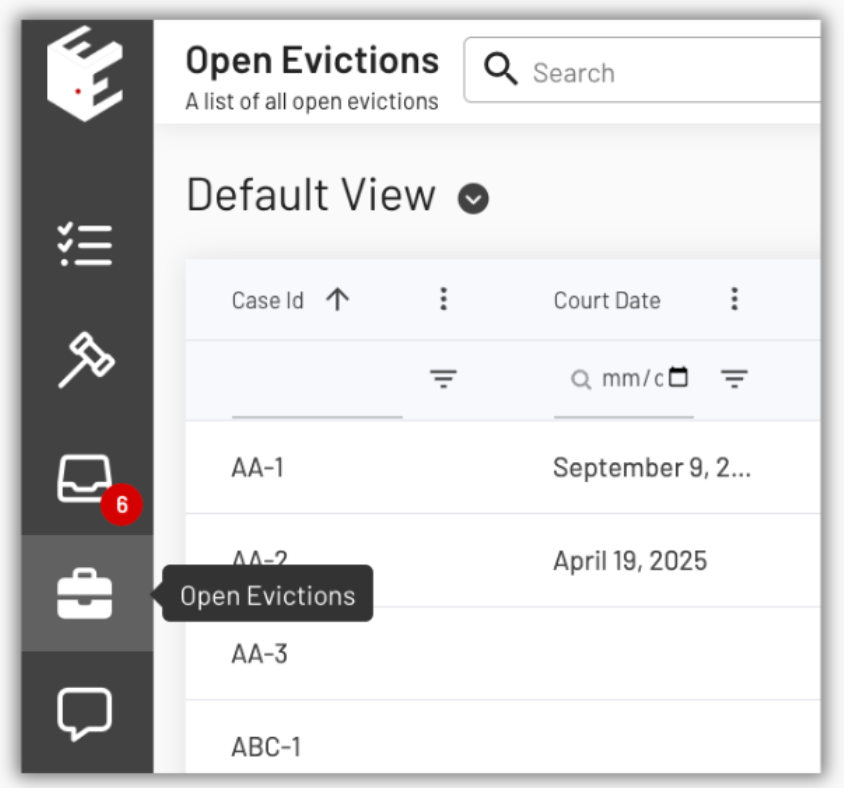
1. Navigate to your Open Evictions Page
From your EasyEviction Dashboard, click the Open Evictions widget located on the left side of the screen.
2. Managing Column Visibility
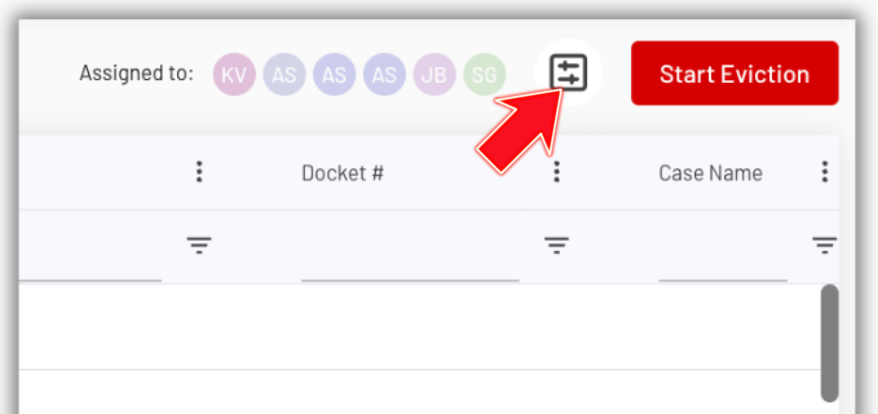
Click Adjust Visible Columns in the upper right corner of the screen. Check the boxes for the columns you want to display on the page.
3. The Save Changes Button appears
After selecting filters that will only be visible on the page, a Save changes button will appear at the top. Click on that button if you want to save the changes for the current view.

4. Check and Manage the View Settings
In the upper left corner of the page is the View section. Use the dropdown button to switch between the Default View and any Customized Views you have saved. From here, you can save your changes by updating the Default View, saving to an existing Customized View, or creating a New Filtered View for quick access later.
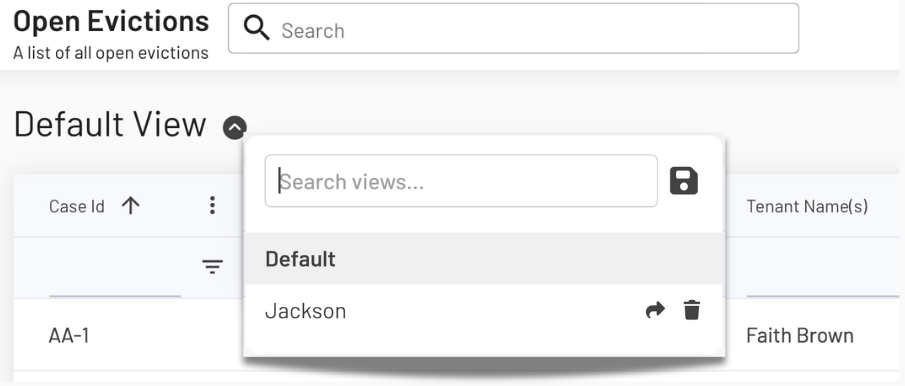
To create a new Filtered View, click the Save button. You will then be prompted to enter a name for the new view, which will store the current layout and filter settings.
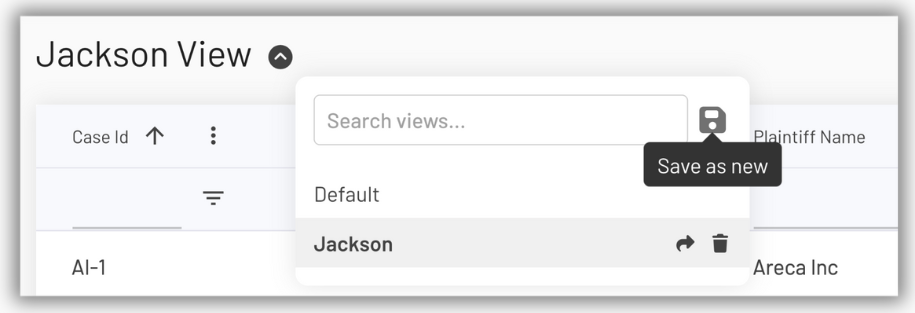
A customized view allows you to quickly return to a specific way of organizing your cases on the Open Evictions page. This is especially helpful when you have applied filters and want to save that layout for future use.
5. Share Your View with Your Team
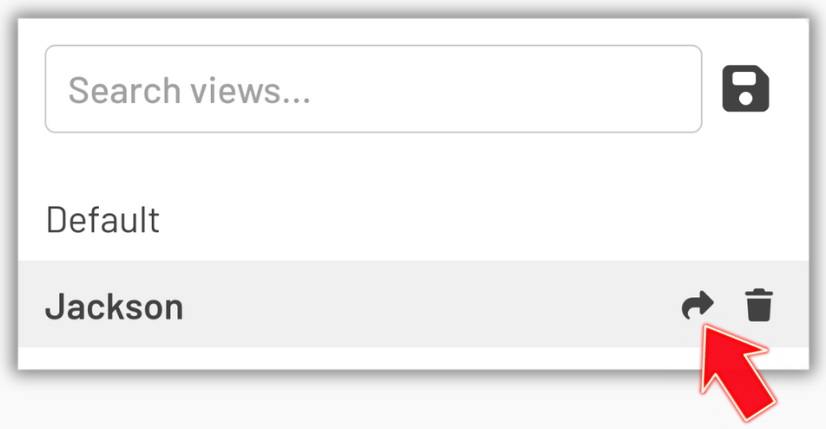
Click the Share button to make your filtered view available to other users in your law firm.
With Filtered Views, you can simplify your workflow, reduce clutter on your dashboard, and ensure every user has easy access to the right information at the right time. It turns a complex case list into a clear, organized, and actionable workspace.
If you have any questions or need help setting up Filtered Views, contact EasyEviction’s support team for assistance.