
Getting Started with the PACER Plugin
PACER (Public Access to Court Electronic Records) is a public system that allows authorized users to search federal court records, including bankruptcy filings. Starting with update v1.83.0, Easyeviction introduced the PACER Bankruptcy Check as part of a large release focused on enhanced case management and overall user experience, making it easier to access critical bankruptcy information directly within the platform when reviewing tenant cases. Please reach out to EasyEviction support to request access to the the platform while this plugin is in Beta.
To use the PACER Bankruptcy Check:
Step 1. Log in to your Easyeviction account.
Go to Admin Settings and navigate to Plugins.
Locate PACER Bankruptcy Check.
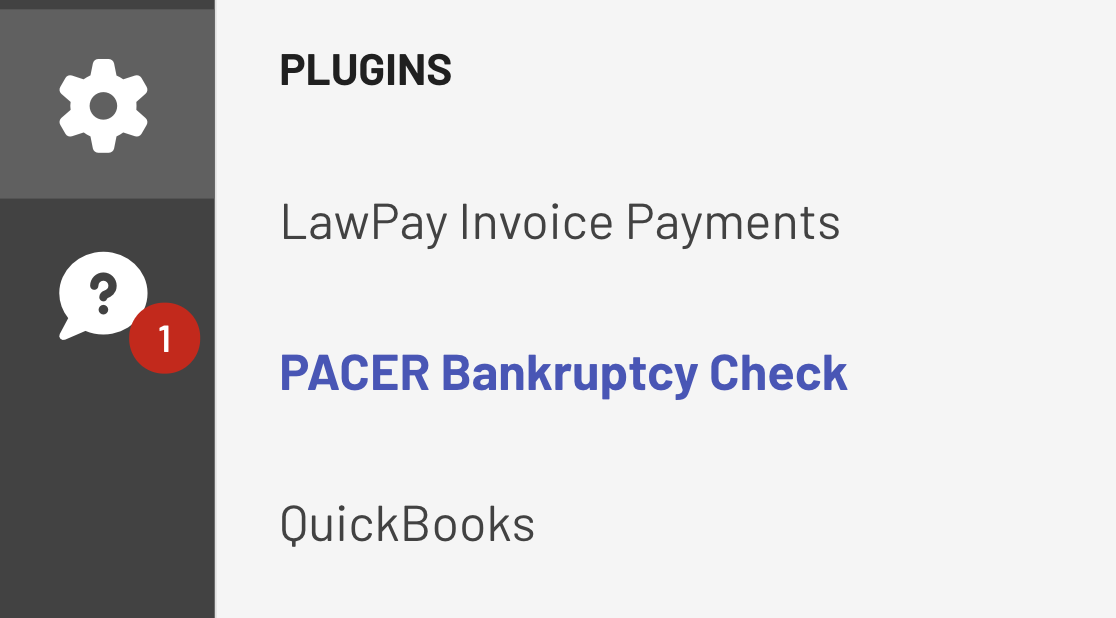
Step 2. Enter and Save your PACER Credentials
Before running a bankruptcy check, you must connect your PACER account. Enter your credentials -- which will be encrypted and stored in our database for use--and press Save. Click Test Connection to confirm your credentials are valid.
If successful, you will see a confirmation that the connection works.
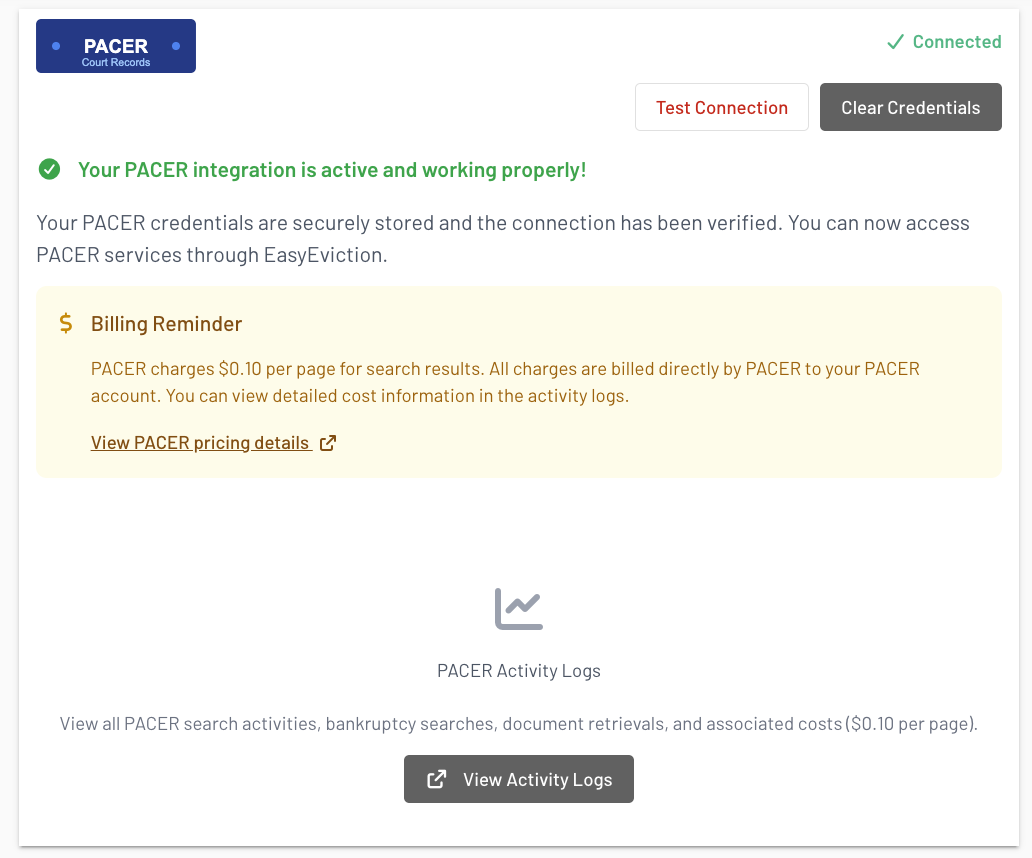
Easyeviction securely stores your PACER credentials to query bankruptcy records on your behalf.
Step 3. Running a Bankruptcy Check
Note: To run a PACER Bankruptcy Check, you must enter the surname and SSN.
Once enabled, Open a tenant case in Eviction Inbox Page.
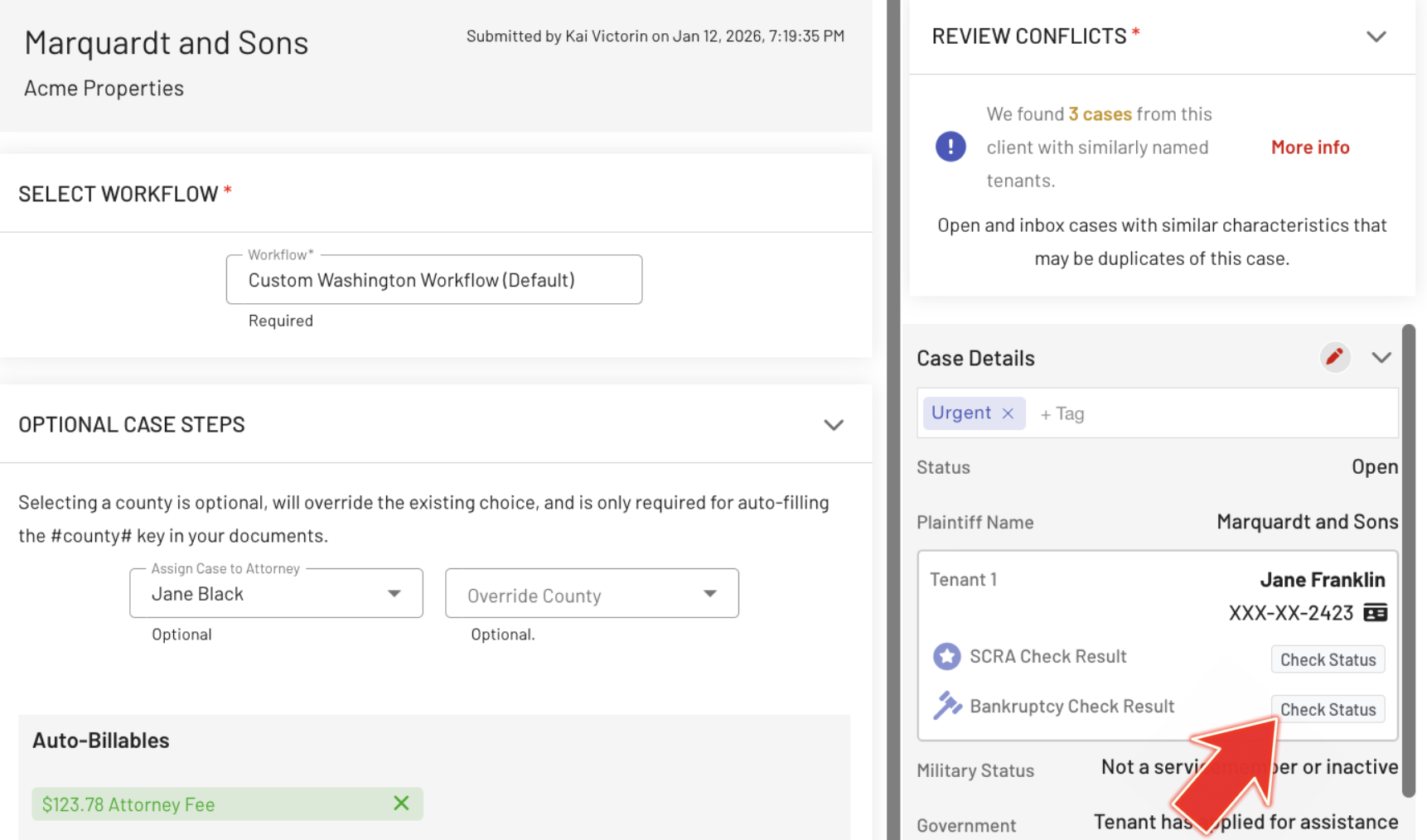
Locate the Bankruptcy Check Result button (below the SCRA check).
Click the "Check Status" button to run the check.
Easyeviction will use your PACER credentials, query the PACER system, and return any bankruptcy cases associated with the tenant
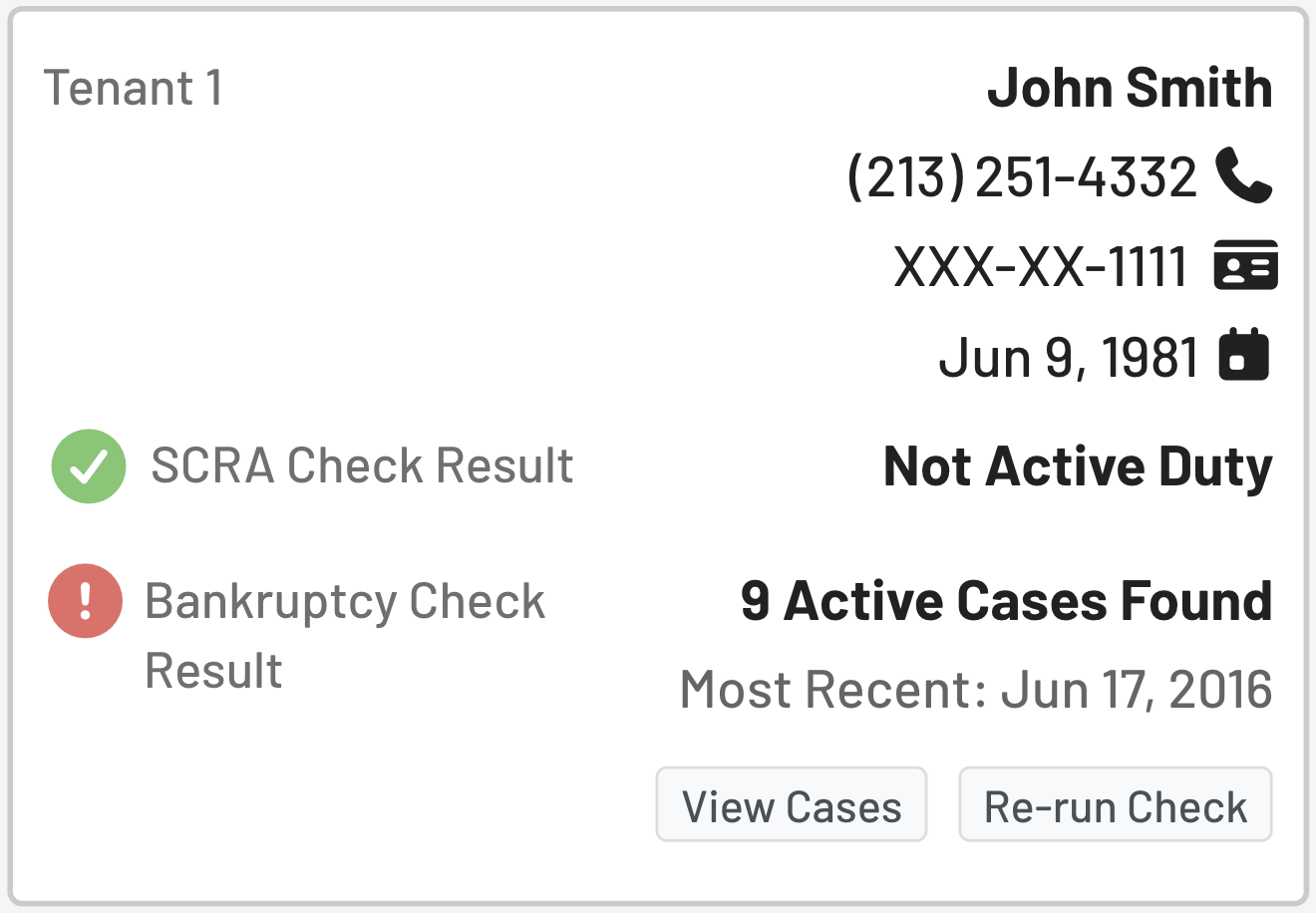
The Results
The system highlights active cases as these are most relevant to eviction decisions.
You may also view historical cases depending on availability.
Re-running a PACER Check
Unlike the SCRA check, the PACER Bankruptcy Check can be run multiple times for the same tenant.
Each time you run the check, a new query is made. This allows you to confirm updated status if circumstances change.
Viewing PACER Activity Logs
Go to Admin Settings, under AUDIT LOGS, click PACER.

Using the PACER Bankruptcy Check helps you stay informed about potential bankruptcy filings that may affect your eviction workflow.
If you have other queries, feel free to reach out to our support team.