
DocuSign Template Setup Guide
To use the DocuSign integration in EasyEviction, your document templates must be configured correctly. Proper setup ensures signature fields are automatically placed in the correct locations and that signed documents flow smoothly back into the case file. By preparing your templates in advance, you eliminate manual formatting, reduce errors, and deliver a smooth, professional signing experience for your clients.
Step 1: Use a PDF Document Template
All DocuSign-compatible templates must be created and uploaded as PDF documents.
DocuSign anchor tags will only function correctly in PDF format. If your template is currently in Word or another format, convert it to a PDF before uploading it to EasyEviction.
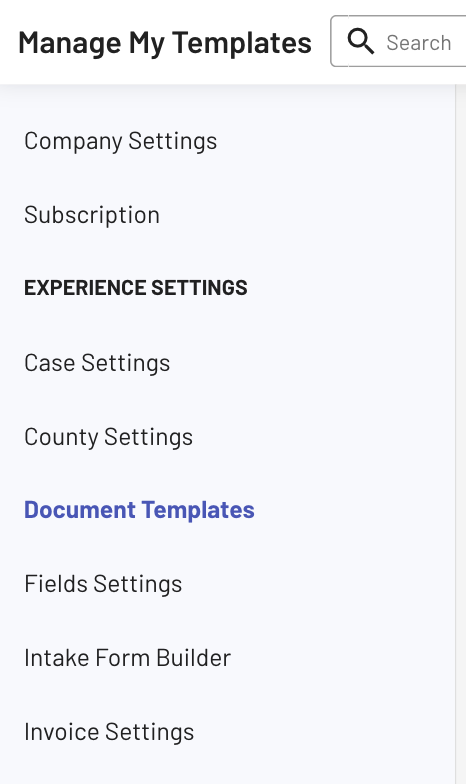
Step 2: Go to Manage My Templates
In your EasyEviction Settings, navigate to Document Templates to create a template where you can perform the DocuSign integration.
Step 3: Insert the Signature Anchor Tag
To create a signature field, insert the following merge tag directly into the PDF template where the signature should appear:
{{client_signature}}
This anchor tag tells DocuSign where to place the electronic signature field when the document is sent for signing.
You may insert multiple anchor tags if more than one signature is required.
Step 4: Make the Anchor Tag Invisible
For a clean and professional document appearance:
- Change the text color of
{{client_signature}}to white - Position it exactly where the signature should be placed
When the document is generated:
- The white text will remain invisible in the PDF
- DocuSign will detect the anchor tag and convert it into an active signature field
This ensures accurate placement without visible placeholders on the final document.
Step 5: Save and Upload the Template
Once your PDF includes the proper anchor tags, upload the file, update the remaining template details, and click Save to apply your changes.
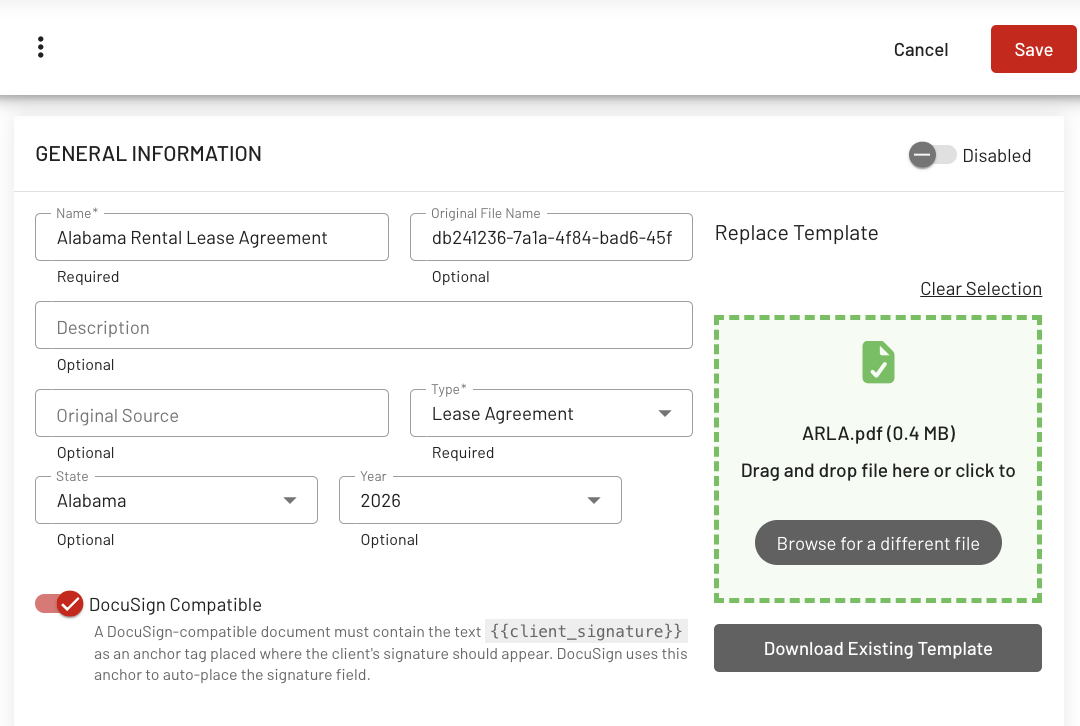
Your template is now ready to generate and send for electronic signature directly from EasyEviction.
Setting up your DocuSign templates correctly ensures a smooth and efficient signing workflow. With properly formatted PDF templates and invisible anchor tags, signature fields are placed automatically, documents are sent without extra steps, and completed copies return directly to the case file, saving time and reducing administrative work.
If you have any questions or need assistance configuring your templates, please contact Support.