
Recurring Invoices in EasyEviction
Recurring Invoices allow EasyEviction to automatically generate invoices for clients based on billable items that are not yet invoiced. This feature helps ensure no charges are missed and provides visibility into which invoices were created overnight through a dedicated recurring invoices log.
Use the steps below as a guide:
Step 1. Navigate to Client: Open Evictions Page
Go to Contacts and select a client. You will be directed to the "Clients: Open Evictions page", then click "Settings" in the upper-right corner.

Step 2. Enable recurring invoices
In the upper-right corner of the page, toggle the Enable button to activate recurring invoice settings.
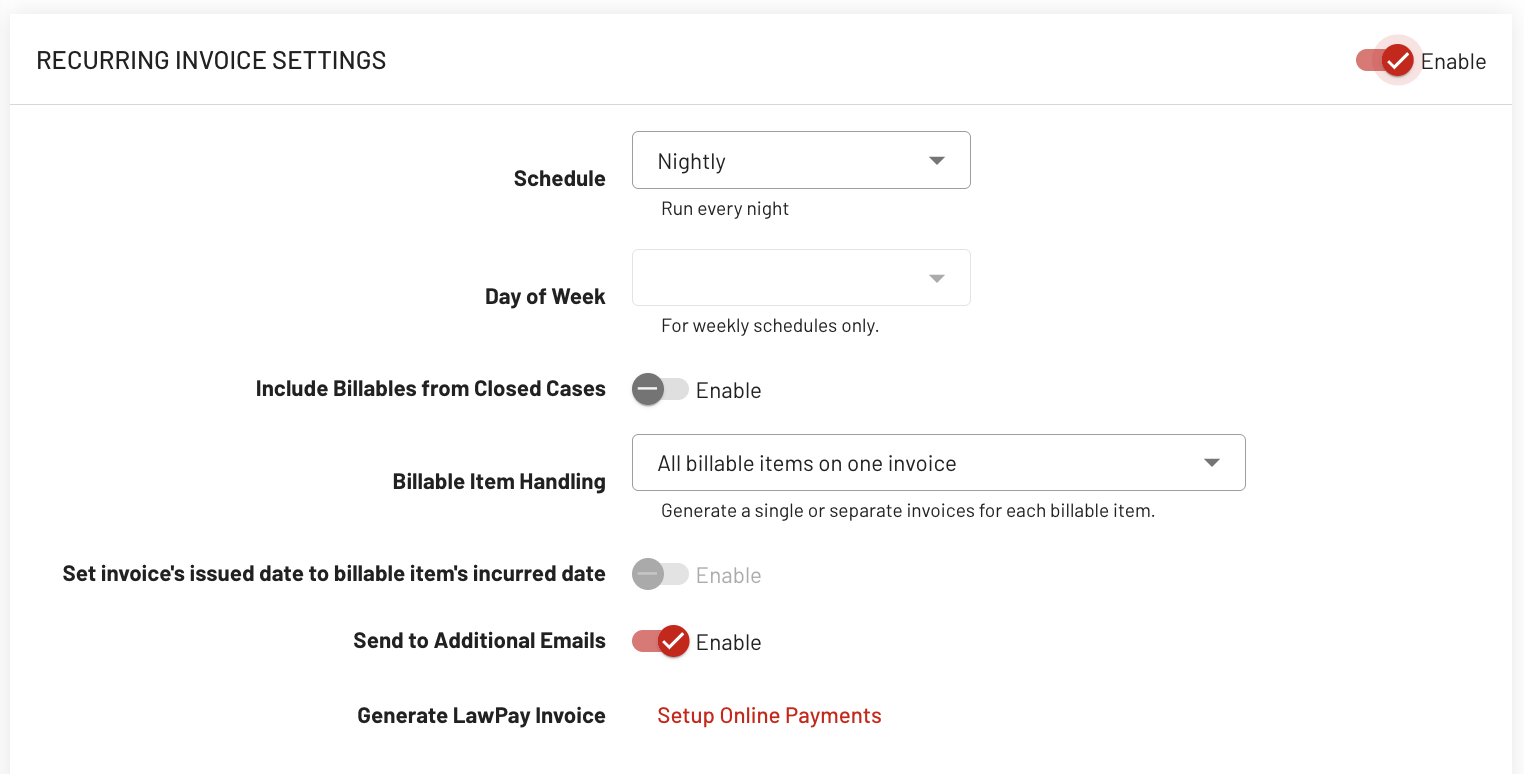
Step 3. Set the recurrence schedule
Choose how often invoices should be generated (e.g., nightly, weekly, or monthly) to ensure consistent and timely billing without manual intervention.
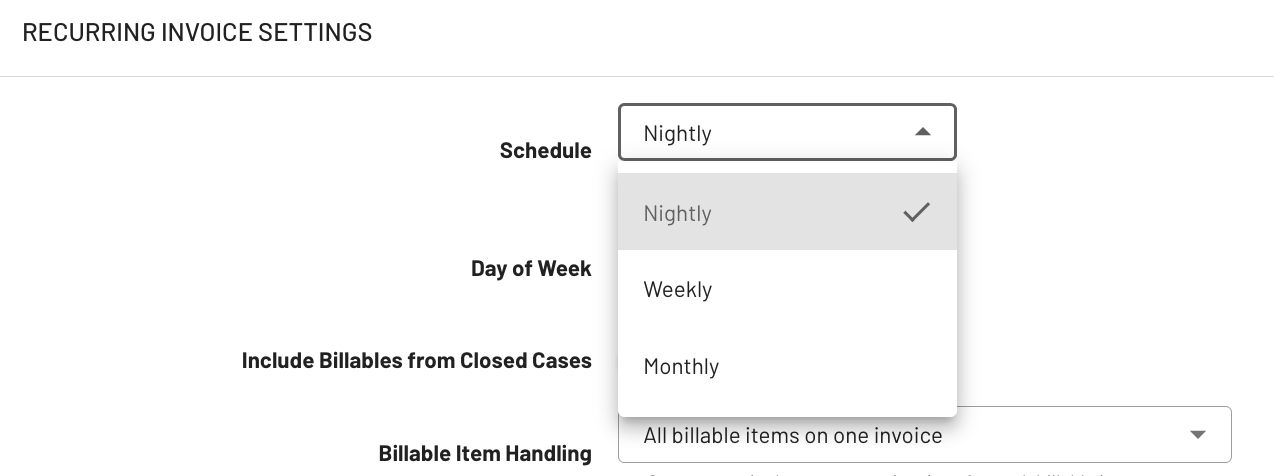
Note: Make sure the items are recorded in the system so they become eligible for automatic invoicing.
The system will generate invoices automatically according to your schedule, removing the need to manually create each invoice.
Step 4. Access the Recurring Invoices section
Under AUDIT LOGS, click "Recurring Invoices" to view automated billing and see which invoices are generated automatically.
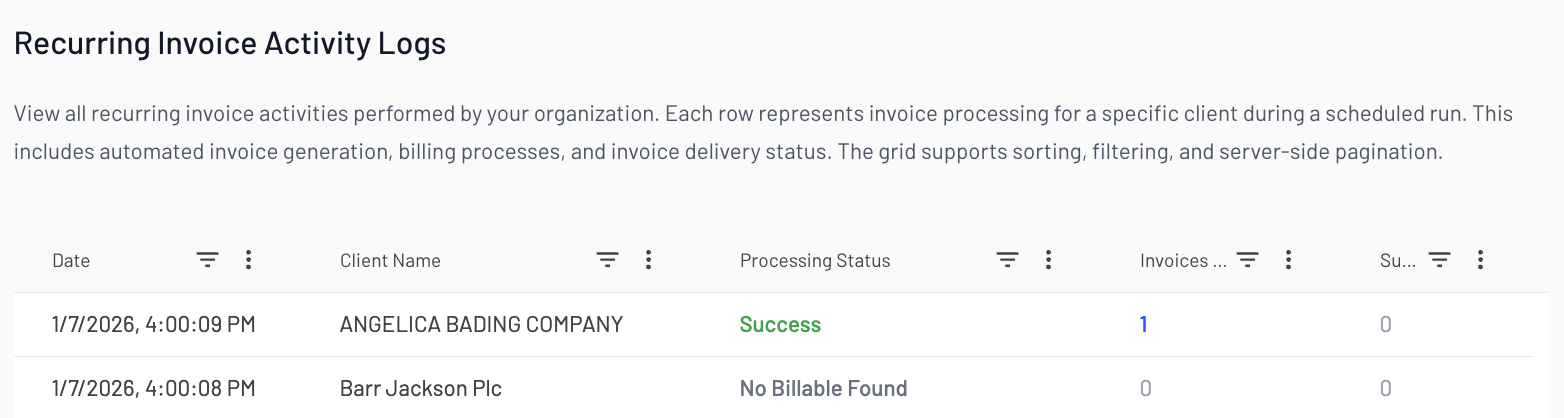
Each entry for client name, invoice number, and invoice details, providing a clear audit trail of automatically generated invoices.
If you have any questions or need further assistance, feel free to contact our support team.