
Draft Invoice Approval and Bulk Send Workflow
In property management, it’s important to review invoices before sending them to clients to ensure accuracy and prevent errors. EasyEviction offers a draft invoice approval workflow, combined with bulk sending, so teams can efficiently review, approve, and send multiple invoices at once. This workflow saves time while maintaining billing accuracy and professional standards.
1. Generate Draft Invoices
Follow the bulk invoicing process to generate invoices. (See Bulk Invoice Creation for Multiple Cases Article)
Set the Target State as Draft to create invoices that are ready for review but not yet sent to clients.
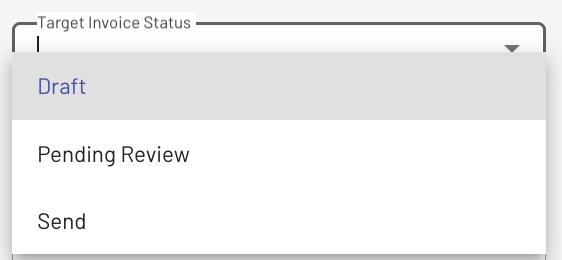
2. Review Draft Invoices
Navigate to the Invoices page and filter by Draft status.
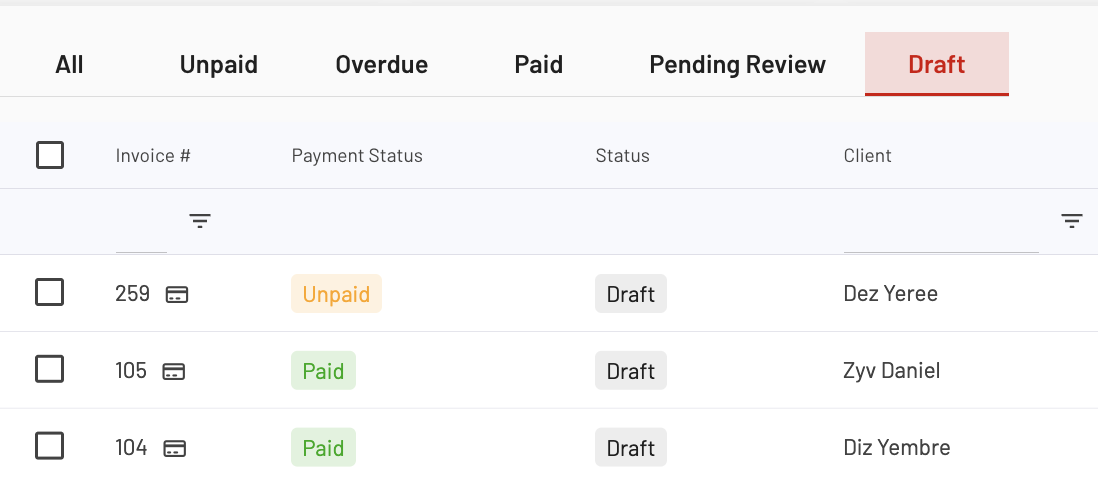
Open each draft invoice to review line items, amounts, and client details. Make edits or adjustments as needed before approval.
3. Approve Drafts
After review, mark invoices to be Submitted for Approval by clicking the actions dropdown tab near the create invoices button. Those submitted for approval will be under Pending Review.
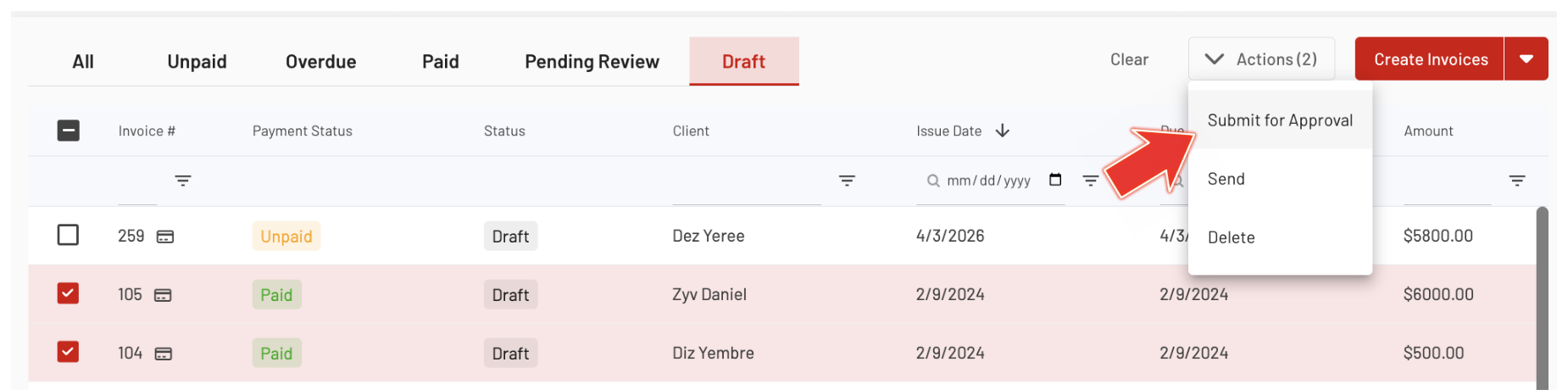
Approval ensures invoices are ready for bulk sending without errors.
4. Bulk Send Approved Invoices
To send invoices in bulk, select the invoices under the Pending Review tab, then click Send from the Actions dropdown.
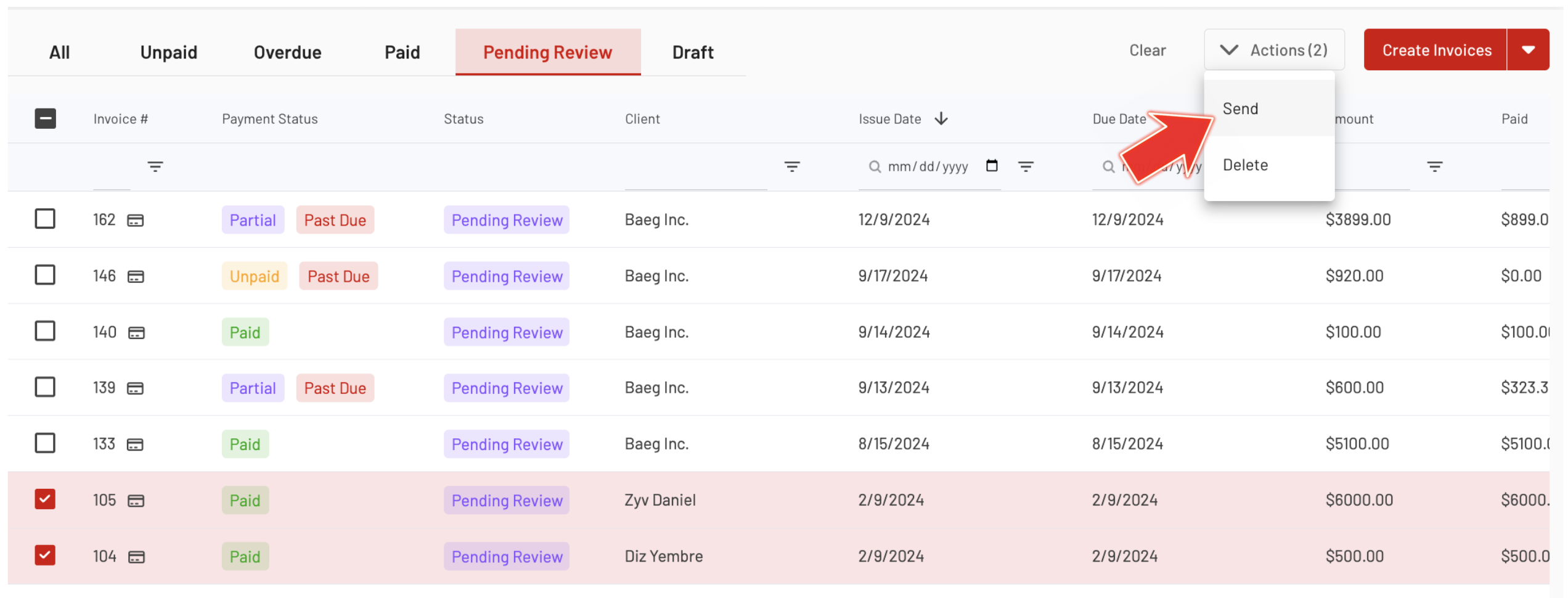
5. Track Sent Invoices
After sending, invoices will move to the Sent or Pending Payment status. Use the Invoices page to monitor payment and follow up if needed.
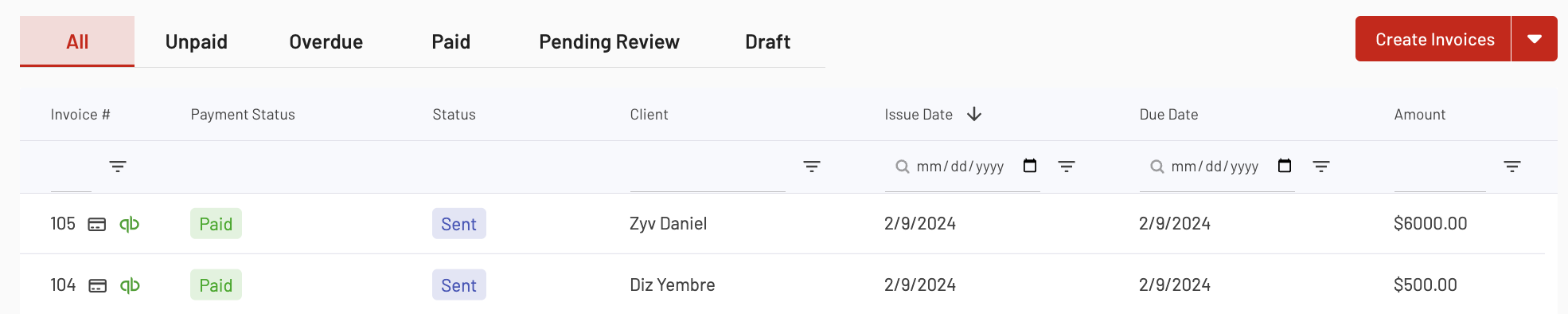
The draft invoice approval workflow with bulk send allows teams to review and approve invoices efficiently before sending them to clients. By combining draft review with bulk sending, EasyEviction ensures accuracy, saves time, and helps maintain a professional billing process across multiple cases.
For questions or additional assistance, please reach out to our support team.